
TL;DR
A banking CRM gives every team one view of the customer, on top of the core banking system. For banks where customers move between branch, phone, chat and mobile, an end-to-end CRM covers leads, onboarding, service cases and reporting, and connects to the core, compliance and contact center systems you already run. This post explains each part and ends with a checklist for choosing a platform.
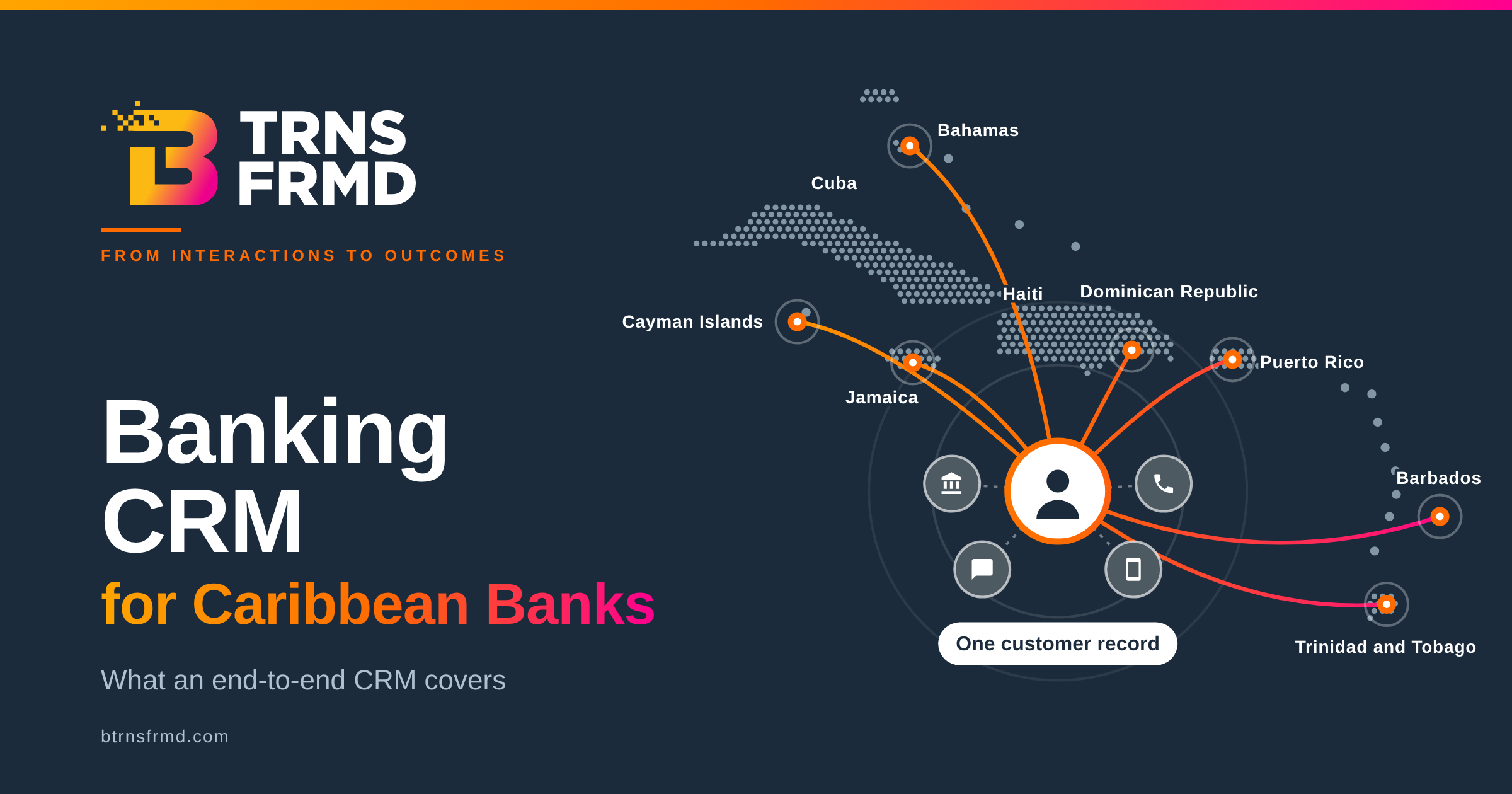
Picture a customer who opens an account in the mobile app, calls the contact center about a limit, and then walks into a branch to sign a document. Three channels, one customer. Does your bank see one person, or three records?
That is the question a Caribbean banking CRM answers. A banking CRM is customer relationship management software built for banks and financial institutions: it keeps leads, onboarding, accounts, service cases and relationship history in one record and connects to core banking and compliance systems.
What Is a Banking CRM?
The core banking system keeps accounts and transactions right. A banking CRM keeps the relationship right: who the customer is, what they asked for, what is still open, and who is handling it. They do different jobs, and a bank needs both.
Banks in the region are already digital. CIBC Caribbean said in March 2026 that about 80% of its clients across the Caribbean engage with digital channels and roughly 95% of all transactions are conducted electronically (Commonwealth Chamber of Commerce). More channels mean more places where a customer’s story gets recorded. Without a shared record, each channel keeps its own version.
Banks and financial institutions that serve several territories feel this most. Our banking and financial services work and our Caribbean banking page start from one question: can every team see the same customer?
What Should an End-to-End Banking CRM Cover?
Whatever you call it, bank CRM software or a financial services CRM, judge it against the same list. An end-to-end banking CRM covers the whole journey, and connects each part to the system that already holds the data.
| Capability | What it does | System it connects to |
|---|---|---|
| Lead and relationship management | One record per customer, with history across channels | Core banking |
| Onboarding workflows | Steps, approvals and documents in one flow | Compliance apps |
| Service cases | Tracks every request to resolution | Contact center platform |
| Audit trails and access roles | Records who did what and when, with access by role | Compliance apps |
| Reporting | One view across branches and channels | Data warehouse |
How a CRM Connects to Core Banking and Compliance Apps
A CRM does not replace the core. It sits beside it. The core keeps running transactions, and the CRM manages relationships and workflows around them.
Core modernization is moving across the region. One leading Caribbean bank announced on November 2, 2026 that Phase 2 of its core banking transformation went live, extending the new core to accounts and deposits (EIN Presswire, a vendor press release). When the core changes, the connection to the CRM is what has to keep working.
So list the systems to connect before you choose a platform:
- The core banking system
- Compliance and screening apps
- Payment systems
- Document storage
- The data warehouse
Integration is a solved problem when it is planned early. One Caribbean financial group we worked with synced customer and product data daily from its on-premise warehouse into Creatio, across 5 business units and 2M+ records (read the story).
How a CRM Connects to Your Contact Center
Most banks already have a contact center platform. The CRM should work with it, not around it. When a call comes in, the Agent should see the customer’s record without searching, and the notes from the call should land back in the CRM.
Creatio, for example, works with partner connectors that embed call controls, screen pops, click-to-dial and automatic call logging, across platforms including Amazon Connect, Avaya, Cisco, Dialpad, Five9, Genesys, NICE, Webex and Zoom (Creatio announcement). Confirm that yours is supported, and test it in the pilot.
This is what omnichannel banking means in practice: customers move between branch, phone, chat, email and mobile without starting over. Our omnichannel CX work covers the contact center side.
Banking Automation: Onboarding and Service Workflows
Automation is where a CRM pays for itself in daily work. Two workflows matter most in a bank.
- Onboarding. Capture the customer’s details, run verification, route approvals, collect documents, then hand the approved customer to the core to open the account. Each step has an owner and a time limit.
- Service. Route each request to the right team, start the clock, escalate when it stalls, and close it with a record of what was done.
Automation is already on regional banks’ agendas. CIBC Caribbean said in March 2026 that it plans AI-driven lending in Jamaica, automating credit decisions for unsecured loans and credit cards, with manual, error-prone steps automated end to end (Jamaica Observer).
The CRM side works the same way. The same financial group automated 200+ workflows across sales, marketing and service on a single Creatio instance, and its teams can change them without writing code.
One Customer View: What Changes for Teams and Customers
For the customer, the change is simple: they stop repeating themselves. The branch sees the call. The Agent sees the application. The relationship manager sees both.
For teams and leaders, there are three changes:
- One history. Every employee works from the same record, not a separate one in each application.
- One set of rules. Onboarding and service follow the same process in every branch and territory.
- One view of performance. Reporting covers all branches and channels, so leaders stop reconciling spreadsheets.
The financial group above put 5 business units on one Creatio instance across 17 territories in seven sprints, one business unit at a time. A Caribbean bank operating across 12 territories used a purpose-built platform to cut a 90-minute reporting cycle per territory-currency combination to 15 minutes (read the story).
Questions To Ask Before You Choose a Platform
Use these six questions in every vendor conversation:
- Which systems must it connect to on day one? Core, compliance, payments, contact center and data warehouse.
- Can we see one customer record across branches and channels? Ask for the demonstration to use your own customer journeys.
- Can our team change onboarding and service workflows without code?
- How are audit trails and role-based access handled?
- How will data move from our current CRM, and who validates it?
- What will the pilot cover, and what will we measure? First-contact resolution and time to onboard are good starting points.
If you are replacing a legacy CRM, read how to choose a legacy CRM migration partner and Your Guide to Creatio and Moving Off Legacy CRM.
Frequently Asked Questions
- What is a banking CRM?A banking CRM is customer relationship management software built for banks: it keeps leads, onboarding, accounts, service cases and relationship history in one record, and connects to core banking and compliance systems. It gives every team the same view of the customer instead of a separate record in each application.
- Does a bank need to replace its core to add a CRM?No. A CRM sits beside the core banking system and connects to it, so the core keeps running transactions while the CRM manages relationships and workflows. Integration quality matters most, so list the core, compliance and payment systems to connect before you choose a platform, and test those connections in a pilot.
- What should a bank look for in banking CRM software?Look for four things: one customer record across branches and channels, onboarding and service workflows built without code, connections to the core and compliance apps, and audit trails. Ask for a demonstration using your own customer journeys, not a generic script, before you compare prices.
- How does a CRM improve customer experience in banking?A CRM improves customer experience in banking by giving every employee the same history, so customers do not repeat themselves across branch, phone, chat and email. It also routes service requests to the right team and tracks them to resolution. Measure it through first-contact resolution and time to onboard.
- How does a CRM connect to a bank's contact center?Most CRMs connect to the contact center platform a bank already uses, so a call opens the customer's record and the Agent's notes return to the CRM. Creatio, for example, works with platforms such as Genesys, NICE, Five9 and Amazon Connect through partner connectors. Confirm yours before you commit.
- What is omnichannel banking?Omnichannel banking lets customers move between branch, phone, chat, email and mobile without starting over, because every channel shares one customer record and one case history. It differs from offering many channels separately, where each channel keeps its own data. A CRM is what links the channels together.
Next Step
See what an end-to-end CRM would cover for your bank. B-TRNSFRMD is a certified Creatio partner, and we will map your core, compliance and contact center systems to a plan. We met many of the region’s bankers at the Caribbean Association of Banks conference in October, and you can see how we work with banks in the region on our Caribbean banking page.
Book a no-cost 30-minute conversation!