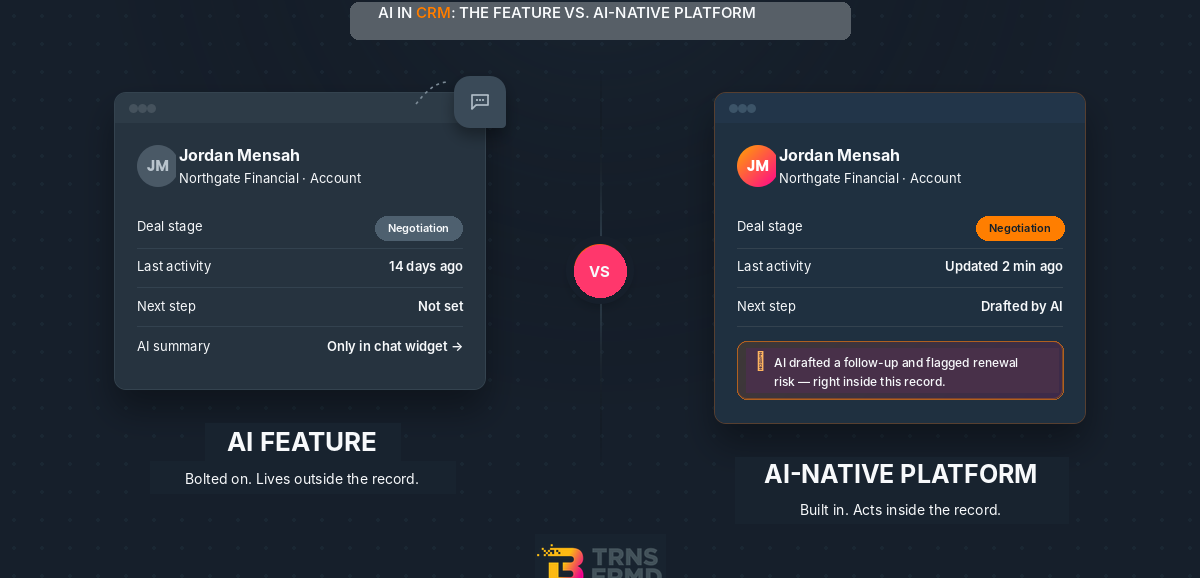
An AI feature is AI bolted onto software that was built before AI existed — a chatbot layer, a scoring widget, a summary button. An AI-native CRM platform is software built so AI can act on your data directly, inside the same architecture your team already works in. The difference isn’t marketing language. It’s what happens when you actually ask the AI to do something.
What “AI in CRM” Means When Every Vendor Claims It
Every CRM vendor now says they have “AI in CRM.” That claim has stopped meaning anything on its own.
Some of it is real: AI that reads a record, understands the account history, and takes an action — updates a field, drafts a follow-up, flags a risk — without a human copying data between screens. Some of it is a summary box added to an old interface, doing the same job a person did before, just faster.
The gap matters because signs your CRM has become an IT bottleneck usually show up first in exactly this spot — automations that need a developer, AI features that need a separate tool, data that needs manual syncing between the “AI part” and the “real” CRM.
Feature vs. Platform: How to Tell the Difference in a Demo
You can tell the difference in about five minutes, if you ask the right questions. In your next demo, ask:
- Can this workflow run itself, right now, without a developer in the room?
- What happens if I ask the AI to act on this record, not just summarize it?
- Is this AI capability priced separately, or is it already part of what I’m paying for?
If the answer to any of these is “we’d need to configure that” or “that’s a separate module,” you’re looking at a feature. If the AI just does it, in the record, in the same screen — that’s a platform. This is the same distinction covered in more depth in AI-native CRM vs. AI-augmented CRM.
What AI-Powered Customer Service Looks Like Built-In, Not Bolted-On
AI-powered customer service built into a platform looks like this: a service rep opens a case, and the AI has already read the account’s full history, drafted a response, and flagged the one similar case from last quarter that matters. No second tool. No copy-paste between the CRM and a separate AI assistant.
Bolted-on AI-powered customer service looks like a chatbot widget sitting on top of the same CRM, answering simple questions but unable to actually update the record it’s talking about. It can talk about the account. It can’t change anything in it.
The test is the same as the demo test: can the AI act on the record, or only describe it?
The Migration Path From Legacy CRM to an AI-Native CRM Platform
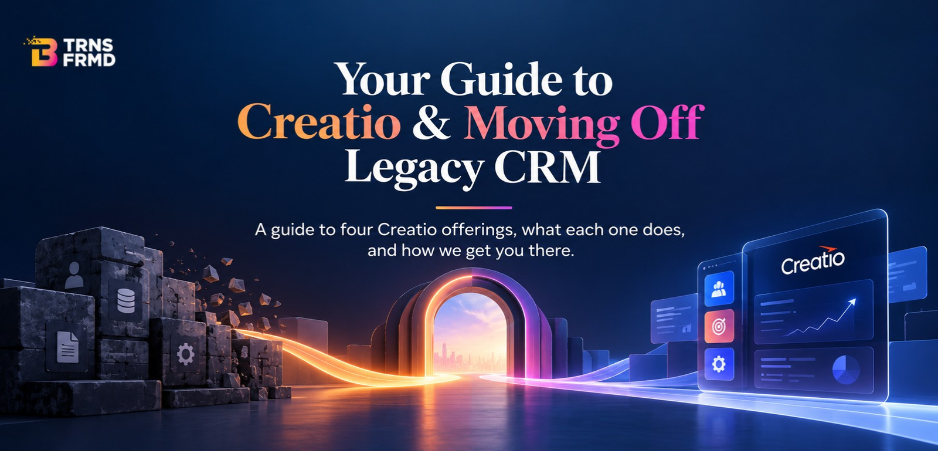
Moving from a legacy CRM to an AI CRM platform isn’t a rebuild from zero. It’s a structured migration: data audit and field mapping first, a full test migration before anything goes live, then cutover with the old system kept in read-only mode as a safety net.
Most migrations run 12–16 weeks, not the multi-quarter timelines people associate with CRM change. According to Nucleus Research, Creatio customers saw a 37% reduction in technology costs after moving to a no-code, AI-native platform — a number worth knowing before you assume migration costs more than staying put.
This is also where B-TRNSFRMD’s CRM & Process Automation work comes in — mapping not just the data, but the workflows built around your current CRM, so nothing gets lost in the move.
AI Feature vs. AI-Native Platform, Side by Side
| AI Feature (Bolted-On) | AI-Native Platform | |
|---|---|---|
| Where AI lives | Separate tool or add-on module | Built into the core architecture |
| Who builds automations | Developer or IT ticket required | Business users, no-code |
| Data model | Synced between systems | One shared record, no syncing |
| Governance & audit trail | Fragmented across tools | Centralized, built in |
| Pricing model | Often a separate line item | Included in the platform subscription |
Why B-TRNSFRMD
We’ve run 60+ CRM migrations and transformations, and we’re a certified Creatio System Integrator Partner — which means we’re not learning the platform on your project. Every migration follows our PATH TO OUTCOME™ methodology: Plan, Align, Transform, Harness, so the move is structured from day one rather than figured out as it goes.
If you’re currently running a legacy platform and weighing whether a move to an AI-native CRM platform is worth it, our Creatio implementation practice is where that conversation starts — not with a sales pitch, but with a look at what your current setup is actually costing you.
Frequently Asked Questions
- How do I know if a CRM's AI is a feature or the platform itself?Ask it to act on a record, not just describe one. If it can update, route, or resolve something directly inside the record without a separate tool, it's platform-level AI. If it can only summarize or suggest, it's a feature layered on top.
- What questions should I ask a CRM vendor about their AI?Ask whether the AI is priced separately, whether it requires a developer to configure new automations, and whether it can take action on a record or only describe one. The answers reveal whether you're buying a feature or a platform.
- How much does it cost to migrate to an AI-native CRM platform?Cost scales with three things: number of users, number of custom objects and workflows to rebuild, and integrations to other systems. Rather than a floating range that may not apply to your setup, B-TRNSFRMD scopes a fixed quote after a short discovery call — so you know the real number before committing.
- What is AI-powered customer service?AI-powered customer service uses AI to read account history, draft responses, and in platform-native systems, take action directly on a case — not just suggest what a human should do next
- How long does it take to migrate from a legacy CRM to an AI-native platform?Most migrations take 12 to 16 weeks from kickoff to full team adoption, covering data migration, workflow rebuild, and a supervised cutover.
- Will we lose data when we migrate to an AI-native CRM?No. A proper migration includes a full data audit, a complete test migration before cutover, and keeps the legacy CRM in read-only mode after go-live as a safety net.
Get the AI CRM Platform Checklist → The AI-Native CRM Buyer’s Guide
Read more about what a legacy CRM migration partner actually does, from data audit to cutover.